




Creating a cozy and productive home office space is essential for anyone working remotely or managing tasks from home. A well-designed office can boost creativity, enhance focus, and improve overall work-life balance. Whether you have a dedicated room or just a small corner, the following tips will help you design a workspace that feels inviting and supports your productivity.
Choose the Right Location
Consider Lighting and Noise Levels
Select a spot in your home that receives plenty of natural light. Natural light can reduce eye strain and improve your mood. If natural light is limited, invest in good quality lighting that mimics daylight.
Also, think about noise levels. Try to find a quiet area away from busy household traffic or where distractions are minimal. If that’s not possible, consider noise-cancelling headphones or soundproofing options like rugs and curtains.
Assess Space and Privacy Needs
Your office space should accommodate your work materials comfortably. If possible, choose a place with a door or some barrier to separate your work from personal life, which helps maintain focus and boundaries during the workday.
Prioritize Ergonomics
Invest in a Comfortable Chair
A good chair supports your posture and reduces fatigue. Look for adjustable chairs with lumbar support to fit your body’s needs. Sitting comfortably can prevent back and neck pain during long work hours.
Set Up Your Desk Properly
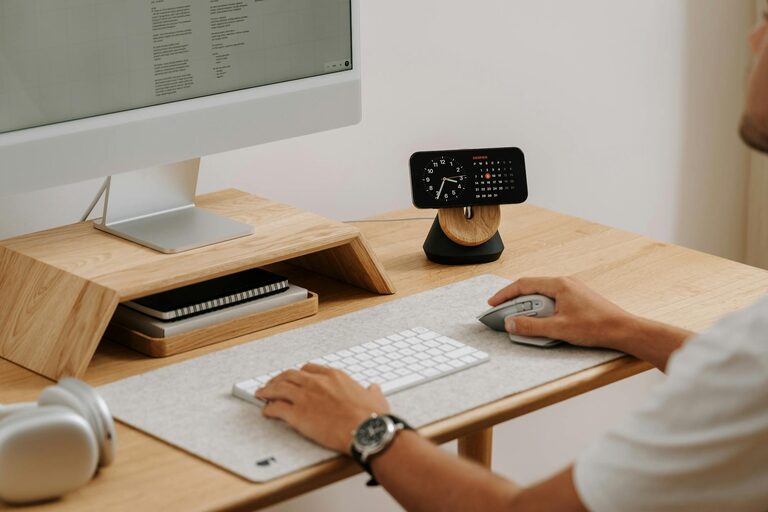
Your desk should be at a height where your wrists are straight when typing and your eyes level with the top of your monitor. Consider a desk that allows you to alternate between sitting and standing for better health.
Personalize Your Workspace
Add Personal Touches
Decorate your office with items that inspire and relax you, such as plants, artwork, or photographs. Greenery, especially, can improve air quality and bring a calming effect.
Use Color Wisely
Choose colors that promote focus and calmness. Soft blues, greens, and neutrals are popular choices. Bright accents can add energy but avoid overly intense colors that might be distracting.
Organize Efficiently
Use Storage Solutions
Clutter negatively impacts productivity. Use shelves, drawers, and organizers to keep supplies and documents tidy. Label containers for easy access.
Keep Your Desk Clear
Only keep essentials on your desk to maintain focus. Regularly declutter to prevent the accumulation of unnecessary items.
Manage Technology Smartly
Optimize Your Equipment
Ensure your computer, keyboard, mouse, and other devices are up-to-date and functioning well. Good technology reduces frustration and boosts efficiency.
Control Cables
Use cable organizers to keep wires neat and prevent tripping or damage. A clean setup can also improve your workspace’s overall look.
Create a Routine-Friendly Environment
Set Work Boundaries
Use your office space only for work to build a routine and switch off at the end of the day. This separation can improve mental well-being.
Incorporate Break Areas
If space allows, include a small area for breaks with a comfortable chair or cushion. Taking short breaks away from your desk helps refresh your mind.
Improve Air Quality and Comfort
Ventilate Your Space
Open windows regularly or use an air purifier to maintain fresh air. Good air quality leads to better focus.
Control Temperature and Humidity
Maintain a comfortable temperature and humidity level to avoid discomfort and distraction. Small fans or heaters can help regulate your environment.
Final Thoughts
Designing a cozy and productive home office is all about balancing comfort, functionality, and your personal style. By choosing the right location, prioritizing ergonomics, organizing efficiently, and creating an inspiring environment, you’ll set yourself up for success no matter where you work from. Remember, your workspace should evolve as your needs do, so stay open to adjusting your setup over time.



More Stories
Tips for Creating a Relaxing Home Workspace to Boost Productivity and Comfort
Tips for Creating a Cozy and Inviting Home Atmosphere All Year Round
Tips for Creating a Productive Home Office Space