



Creating a comfortable and productive home office setup is essential for anyone working remotely or spending significant time at home doing professional tasks. A well-designed workspace not only improves efficiency but also supports your physical and mental well-being. This guide will take you through key tips and considerations to set up your ideal home office.
Choose the Right Location
Selecting the right spot in your home for your office is the first step:
– Quiet and Private: Look for a space where you can work without frequent interruptions or loud noises.
– Natural Light: Pick a place near a window if possible. Natural light boosts mood and reduces eye strain.
– Space to Spread Out: Ensure there is enough room for your desk, chair, and any equipment you need.
If space is limited, consider multifunctional areas such as a corner of the living room or a dedicated nook.
Invest in Ergonomic Furniture
Comfortable furniture plays a critical role in maintaining focus and avoiding discomfort or injury:
– Chair: Opt for an ergonomic chair that supports your lower back and allows you to sit with good posture.
– Desk Height: Your desk should be at elbow height when seated, allowing your arms to rest comfortably.
– Footrest: If your feet don’t touch the floor, use a footrest to reduce pressure on your legs.
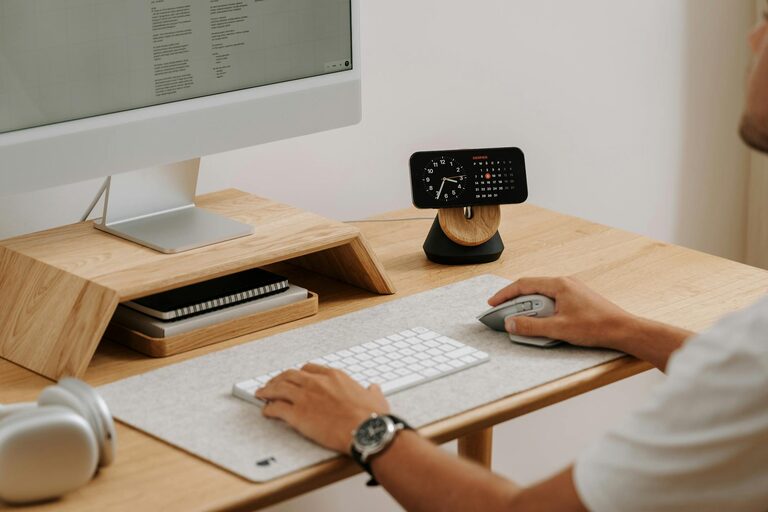
Adjustable furniture can accommodate different working positions, such as sitting and standing.
Organize Your Workspace Efficiently
A tidy environment encourages productivity and minimizes distractions:
– Declutter: Keep only essentials on your desk to create a neat and inviting workspace.
– Storage Solutions: Use shelves, drawers, or boxes to store documents, office supplies, and tech accessories.
– Cable Management: Use clips or sleeves to organize cables, preventing tangles and accidents.
Labeling drawers or folders can help you find things quickly, saving time.
Optimize Lighting
Good lighting reduces eye strain and keeps you alert:
– Natural Light: Position your desk so that natural light comes from the side, not directly in front or behind your screen.
– Task Lighting: Use a desk lamp with adjustable brightness for focused illumination in the evening or on cloudy days.
– Avoid Screen Glare: Position your monitor to minimize reflections and glare from windows or lights.
Consider bulbs that emit a soft white or daylight color temperature to create a comfortable ambiance.
Set Up Technology Wisely
Having the right technology and peripherals improves efficiency:
– Reliable Internet: Ensure your internet connection is fast and stable for video calls and file transfers.
– Monitor: A good-sized external monitor reduces eye strain compared to laptop screens.
– Keyboard and Mouse: Ergonomic keyboards and mice reduce muscle strain during long sessions.
– Headset: Use a quality headset or headphones for clearer sound in meetings and calls.
Keep your devices charged and maintain updated software and security settings.
Personalize Your Workspace
Adding personal touches can make your office feel inviting and motivating:
– Plants: Indoor plants improve air quality and add a calming vibe.
– Artwork: Hang pictures or inspirational quotes that make you happy.
– Colors: Use colors you enjoy on walls or accessories to create a positive atmosphere.
However, avoid overcrowding your space to maintain focus.
Establish Healthy Work Habits
The setup is just part of the equation. How you work matters, too:
– Take Breaks: Follow the 20-20-20 rule—every 20 minutes, look at something 20 feet away for 20 seconds.
– Move Regularly: Stand up, stretch, or walk around every hour to avoid stiffness.
– Set Boundaries: Define your working hours and space to prevent burnout.
– Stay Hydrated and Eat Well: Keep a water bottle nearby and avoid heavy meals that can cause sluggishness.
Good habits complement your physical setup for a balanced workday.
Manage Noise and Distractions
Distractions can quickly reduce productivity, so consider:
– Noise-Canceling Headphones: Use these if your environment is noisy.
– White Noise or Music: Background sounds can help some people focus.
– Family or Housemate Boundaries: Communicate your work schedule clearly to others sharing your space.
Some find that apps designed for focus or meditation help maintain concentration.
Keep Your Workspace Clean and Maintained
Regular cleaning prevents clutter and creates a pleasant work environment:
– Daily Tidying: Spend a few minutes at the end of each day putting things away.
– Weekly Cleaning: Dust surfaces, clean your keyboard and screen, and empty trash bins.
– Maintenance: Check your chair’s adjustment, computer performance, and lighting regularly.
A clean workspace supports productivity and reduces stress over time.
—
By following these tips, you can create a home office that feels comfortable and helps you stay productive. Remember that everyone’s preferences and needs differ, so customize your setup to suit your lifestyle and work habits. With the right environment, your home office can become an inspiring place where work feels manageable and even enjoyable.



More Stories
Tips for Creating a Relaxing Home Workspace to Boost Productivity and Comfort
Tips for Creating a Cozy and Inviting Home Atmosphere All Year Round
Tips for Creating a Productive Home Office Space