




Creating a home office that is both cozy and productive can greatly enhance your work-from-home experience. A well-designed space helps you stay focused, reduce stress, and enjoy your workday. Whether you have a dedicated room or just a corner of a living space, these tips will guide you in setting up an inviting and efficient home office.
Choose the Right Location
Find a Quiet Spot
The first step is selecting a location with minimal distractions. Ideally, choose a room or area separate from high-traffic zones like the kitchen or living room. If space is limited, use noise-canceling headphones or a white noise machine to help you concentrate.
Consider Natural Light
Position your desk near windows to benefit from natural light. Sunlight boosts mood and energy, making it easier to stay alert. However, be mindful of glare on your computer screen and consider adding adjustable blinds or curtains.
Invest in Comfortable Furniture
Ergonomic Chair
Comfort is key for long hours of work. Choose an ergonomic office chair that supports your back and promotes good posture. Adjustable height and lumbar support features are a bonus.
Functional Desk
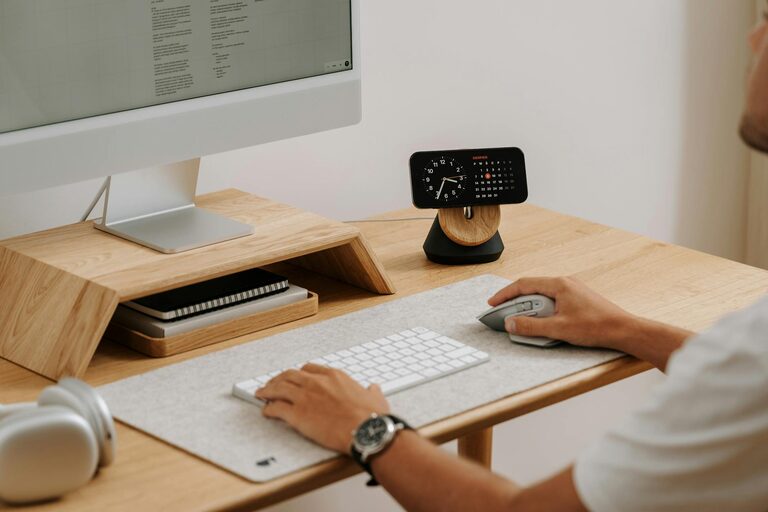
Select a desk that fits your space and work needs. A desk with enough surface area to hold your computer, documents, and accessories helps keep your workspace organized. Adjustable desks that allow sitting and standing can improve comfort and health.
Organize Your Space Efficiently
Declutter Regularly
A cluttered desk can overwhelm your mind and reduce productivity. Keep only essential items within reach and store everything else in drawers or shelves.
Use Storage Solutions
Incorporate shelves, filing cabinets, or baskets to keep supplies, documents, and gadgets organized. Label storage boxes for easy access. Vertical storage can save space and keep your desk clear.
Cable Management
Tidy cables with clips, ties, or under-desk trays to prevent tangles and maintain a neat appearance.
Personalize Your Workspace
Add Cozy Elements
Incorporate items that make the space inviting—a soft throw blanket, cushions, or a small rug can add warmth and comfort.
Plants and Greenery
Bring in plants or flowers to improve air quality and add a touch of nature. Some popular low-maintenance plants include succulents, pothos, and snake plants.
Artwork and Decor
Personalize with artwork, motivational quotes, or photos that inspire you. Avoid too many distractions; choose decor that uplifts your mood without cluttering the space.
Optimize Lighting for Comfort and Focus
Layered Lighting
Use a combination of natural light, overhead lights, and task lighting. A good desk lamp with adjustable brightness can reduce eye strain during late hours.
Avoid Harsh Lighting
Soft, warm light sources create a cozy atmosphere and reduce glare on screens.
Minimize Distractions
Set Boundaries
If you share your home with others, communicate your work hours and ask for uninterrupted time when needed.
Use Noise Control Tools
Background music, white noise machines, or noise-canceling headphones can help drown out distractions.
Create a Productive Routine
Set Up Zones
Designate areas for different tasks if possible—such as a work zone, reading corner, or a place to take breaks. This can help your brain associate spaces with specific activities.
Keep Supplies Handy
Store frequently used items within immediate reach to minimize disruptions.
Take Breaks
Incorporate short breaks into your day to stretch, hydrate, and rest your eyes. A comfortable office encourages you to take these necessary pauses.
Maintain Cleanliness
Daily Tidy-Up
Spend a few minutes each day wiping the desk and organizing items. A clean environment promotes clarity and efficiency.
Periodic Deep Cleaning
Schedule regular deep cleans for dusting, vacuuming, and sanitizing your home office.
Enhance Technology Setup
Reliable Equipment
Invest in a computer or laptop that meets your work needs. Consider peripherals like a second monitor, a quality keyboard, and a mouse for comfort.
High-Speed Internet
A stable internet connection is crucial. Place your router near your workspace or use a wired connection for faster speeds.
Backup Solutions
Use cloud storage or external backup drives to protect your work files.
Final Thoughts
Designing a cozy and productive home office doesn’t have to be complicated or expensive. By prioritizing comfort, organization, and personalization, you can create a space that supports your work habits while making you feel relaxed and motivated. Take your time to experiment and adjust the setup until it feels just right for you.
With these tips, your home office can become a favorite spot to work and get things done efficiently and comfortably.



More Stories
Tips for Creating a Relaxing Home Workspace to Boost Productivity and Comfort
Tips for Creating a Cozy and Inviting Home Atmosphere All Year Round
Tips for Creating a Productive Home Office Space