





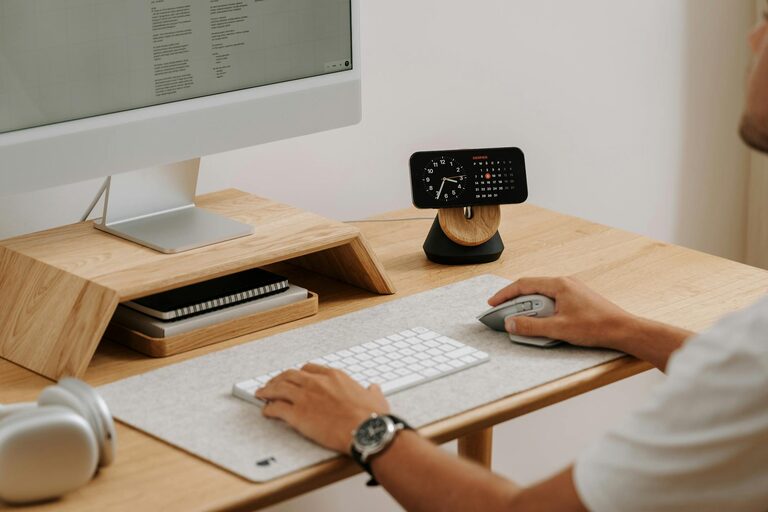
Creating a productive home office space is more important than ever as many people continue to work remotely or have flexible schedules. A well-designed workspace can help improve concentration, reduce stress, and increase overall efficiency. Whether you have a dedicated room or just a corner in your living space, the following tips will help you set up a home office that supports your daily tasks and well-being.
Choose the Right Location
Finding the best spot for your home office is crucial. If possible, select a quiet area away from the busiest parts of your home to minimize distractions. Natural light is another important factor; working near a window can boost mood and energy levels. Consider how much visibility you want—some prefer a secluded corner for privacy, while others like to be in a more central area.
Invest in Comfortable Furniture
Ergonomic Chair
A comfortable, supportive chair is essential for long hours of work. Look for adjustable features like seat height, lumbar support, and armrests to maintain good posture and reduce fatigue.
Desk Space
Your desk should be large enough to hold your computer, monitor, and other work essentials without clutter. Adjustable desks or standing desks can offer flexibility and promote movement during the day.
Optimize Lighting
Proper lighting reduces eye strain and helps keep you alert.
– Natural Light: Maximize daylight but avoid screen glare by positioning your desk perpendicular to windows.
– Task Lighting: Use a desk lamp with adjustable brightness for focused work when daylight isn’t sufficient.
– Ambient Lighting: Soft overhead lighting can create a comfortable background environment.
Organize Your Workspace
An organized space helps maintain focus and efficiency.
– Declutter Regularly: Remove unnecessary items and keep frequently used tools within reach.
– Storage Solutions: Use shelves, filing cabinets, or desk organizers to keep paperwork and supplies tidy.
– Cable Management: Tidy up cables using clips or sleeves to prevent tangling and keep your desk neat.
Set Clear Boundaries
Especially if you share your living space with others, setting boundaries helps prevent interruptions.
– Define your working hours and communicate them with your household.
– Consider using a door sign or headphones to signal when you’re focused.
– Establish a routine to separate work time from personal time.
Personalize Your Space
Adding personal touches can make your home office inviting and motivating.
– Incorporate plants to improve air quality and add greenery.
– Display art or photos that inspire you.
– Use colors that promote calmness or energy, depending on your preferences.
Minimize Distractions
Create an environment conducive to concentration.
– Turn off unnecessary notifications on your devices.
– Use noise-cancelling headphones or background music if helpful.
– Keep non-work-related items out of sight.
Technology Essentials
Equip your home office with reliable technology.
– Ensure a strong, stable internet connection.
– Use a good quality monitor or dual monitors to increase screen space.
– Maintain up-to-date software and tools tailored to your work.
Take Regular Breaks
Productivity doesn’t mean working nonstop. Taking scheduled breaks helps maintain focus and reduces fatigue.
– Follow techniques like the Pomodoro method (25 minutes work, 5 minutes break).
– Stand, stretch, or take a short walk during breaks to refresh your energy.
Keep It Flexible
Your work needs and habits may change over time. Design your home office with flexibility in mind.
– Use movable storage or furniture that can be rearranged easily.
– Adapt lighting or seating options as needed.
—
Creating a productive home office is about balancing comfort, organization, and motivation. By implementing these tips, you can build a workspace that not only supports your professional tasks but also enhances your overall work-from-home experience. Remember, small adjustments can make a big difference in your daily productivity and satisfaction.




More Stories
Tips for Creating a Relaxing Home Workspace to Boost Productivity and Comfort
Tips for Creating a Cozy and Inviting Home Atmosphere All Year Round
Tips for Creating a Comfortable and Productive Home Office Setup